 how-to
How to Buy Electronics Safely Online
Table of Contents
- How to Buy Electronics Safely Online: A Step-by-Step Approach
- How to Check if an Online Store is Legitimate
- How to Avoid Counterfeit Electronics
- Safe Payment Methods for Online Shopping
- Buying Refurbished Electronics Online
- Pre-Purchase Safety Checklist
- What to Do if Your Order Arrives Damaged or Misrepresented
- Frequently Asked Questions
Last Updated: October 21, 2026
How to Buy Electronics Safely Online: A Step-by-Step Approach
When you buy electronics safely online, you protect yourself from fraud, counterfeits, and scams. A few essential steps before you click "buy now" protect you.
At Pemarch, we help shoppers find reliable electronics and household goods with confidence.

This guide shows you how to verify sellers, spot fakes, choose safe payment methods, and handle problems.
How to Check if an Online Store is Legitimate
A legitimate online store shows clear signs of trustworthiness. Start with these basics:
- Look for a physical address and phone number on the website
- Check for a privacy policy and terms of service
- Search for the store name plus "scam" or "reviews" in your search engine
Verify seller credentials and history
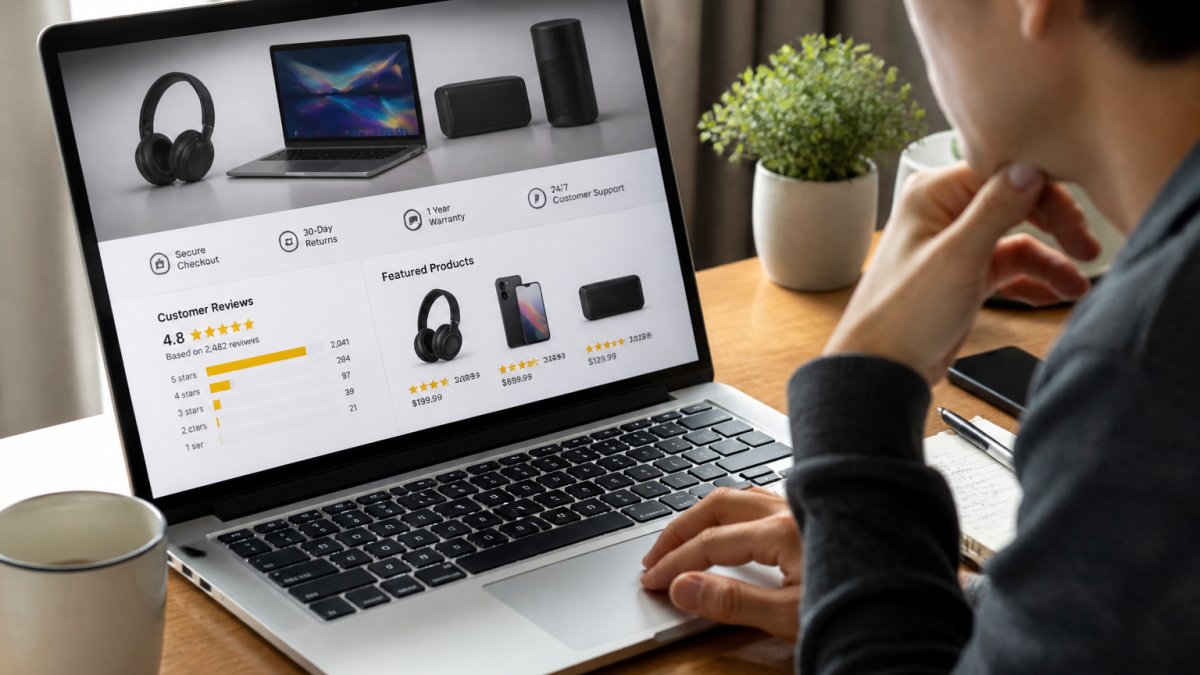
Check how long the seller has been selling and read both positive and negative reviews carefully.
Hundreds of five-star reviews with few complaints beats no history or mostly negative feedback.
On marketplaces like Amazon or eBay, verify the seller's badge status; missing credentials or recent complaints are red flags.
Check for secure checkout and privacy policies
Before entering payment information, verify the site uses encryption: look for a padlock icon and a URL starting with "https://".
Read the privacy policy. A legitimate business explains how it collects, stores, and protects your data; a missing or vague policy is a warning sign.
Check that the store collects only what it needs. Asking for your Social Security number or driver's license to buy a phone charger is suspicious.
![Iphone Charger Lightning Cable - 3.3Ft [Apple Mfi Certified] Fast Charging & Syncing Apple Charger Cord for Iphone 11 XS Max XR X 8 plus 7 plus 6S 6 plus Se 5, Ipad Ipod - White](https://cdn.shopify.com/s/files/1/0999/4272/8048/files/f56c277ad5cc5c076c4b55bf7fcc778f.jpg?v=1789942271)
How to Avoid Counterfeit Electronics
Counterfeit electronics are cheap copies that look real but may break quickly, damage other devices, or pose safety risks.
The best defense is buying from authorized retailers, which makes receiving a fake far less likely.
Verify product authenticity markers
Check the listing for authenticity badges; many brands like Apple display official certification marks on authorized retailers' pages.
Compare the product description with the official brand's. Counterfeiters often make spelling mistakes or use awkward language.
Check packaging details. Real products have consistent, high-quality packaging; fakes often show misspellings, poor printing, or inconsistent logos.
Compare product listings and descriptions carefully
Compare the same product across sellers. A dramatically lower price is a red flag, counterfeiters undercut legitimate prices to move inventory quickly.
Read the product description word by word. Look for:
- Spelling or grammar errors
- Vague specifications or missing details
- Inconsistent product names or model numbers
If a "brand new" product is 50% below market value, be skeptical, extreme underpricing often signals counterfeit goods.
Check the seller's other listings. Selling many brands and categories suggests a reseller rather than an authorized distributor, a common counterfeit pattern.
Safe Payment Methods for Online Shopping
Your payment method is your last line of defense. If a seller is fraudulent or the product never arrives, it determines whether you get your money back. Here's how to recognize a secure checkout, avoid phishing, and choose payment methods with real dispute protections.
How to recognize a secure checkout
Before typing card details, confirm these secure-checkout signals:
- The URL begins with
https://and shows a padlock icon. Click the padlock to view the certificate; it should be issued to the store's actual domain, not a lookalike. - The checkout page is on the same domain as the store you were browsing. A sudden redirect to a different domain at checkout is a red flag.
- The page does not ask for information a legitimate checkout never needs: your Social Security number, driver's license number, or a photo of your ID just to buy a phone case.
A padlock alone does not prove a store is legitimate. Scam sites can obtain HTTPS certificates too. Treat the padlock as a minimum technical requirement, not a trust signal.
Avoid phishing and fake storefronts
Phishing and fake storefronts mimic real retailers. Common patterns include:
- Lookalike domains. Scammers register domains that differ by one character, a hyphen, or a different top-level domain (for example, a brand name plus
.shopinstead of.com). Type the retailer's address manually or use a bookmark rather than clicking links in emails or ads. - Urgency and too-good pricing. Fake stores often advertise limited-time prices far below market value and pressure you to act immediately. If a deal seems implausible, verify the seller independently before paying.
- Email and SMS lures. Messages claiming your order is stuck, your account is locked, or you must "confirm payment" are common phishing hooks. Do not click the link; open the retailer's site directly and check your account there.
Before checkout, search the exact domain plus "scam" and check independent review communities. Also confirm a physical address and phone number on the contact page, fake storefronts often list only an email form.
Choose payment methods with dispute protections
Payment methods differ sharply in what happens after money leaves your account:
- Credit cards. In many jurisdictions, credit cards carry strong legal fraud protections, and card issuers generally allow you to dispute charges for goods not received or not as described (What To Do if You’re Billed for Things You Never Got, or You Get Unordered Products). Use a credit card rather than a debit card when possible; debit-card disputes can be slower and may temporarily remove funds from your bank account.
- Digital wallets and payment services (for example, PayPal). These often provide buyer-protection programs and a formal dispute-resolution process. Check the specific protection terms before paying, because coverage varies by transaction type and seller status.
- Bank transfers and wire transfers. These are typically irreversible. Once sent, recovery depends on the recipient bank's cooperation and is often unsuccessful. Avoid them for unfamiliar sellers.
Keep a record of the payment confirmation, the seller's name as it appears on the transaction, and the order number. If you need to dispute the charge, matching the transaction to the order is the first thing your card issuer or payment provider will ask for.
Iphone Charger Lightning Cable - 3.3Ft [Apple Mfi Certified] Fast Charging →
Protect your account and personal data at checkout
Payment security is also account security. Use a strong, unique password per shopping account, enable multifactor authentication where offered, and provide only the information the transaction requires. If the privacy policy is vague about payment data, reconsider the purchase.
A quick payment-safety sequence
- Verify the domain and certificate before entering any details.
- Confirm the seller's contact information and independent reviews.
- Pay with a credit card or a protected digital wallet.
- Save the order confirmation and payment receipt.
- If anything looks wrong after payment, contact the seller in writing first, then open a dispute with your payment provider within its stated deadline.
Buying Refurbished Electronics Online
Refurbished electronics cost less than new ones and can be reliable from the right seller. Refurbished means the device was returned, inspected, repaired if needed, and resold.
The key is understanding what "refurbished" means for that product.
Understand refurbished grading standards
Refurbished products come in grades. Manufacturer-refurbished items are fixed and tested by the original brand and are usually the most reliable.
Seller-refurbished items are cleaned and tested by a third party, cheaper but possibly more worn.
Look for these grades in the product listing:
- Like new: minimal signs of use
- Excellent: light scratches or marks
- Good: visible wear but fully functional
Read the full description for cosmetic damage or functional issues. A seller transparent about condition is more trustworthy than one who hides problems.
Warranty and return policies for refurbished items
Refurbished items should come with a warranty. At least 30 days is standard; 90 days or a year is better.
Compare the refurbished warranty with the cost difference from new. Paying extra for new can make sense if the warranty is significantly better.
Ask the seller directly if they stand behind refurbished products. A quick, confident answer beats an evasive one.
Pre-Purchase Safety Checklist
Before you buy, run through this checklist:
- The website uses HTTPS encryption (padlock icon visible)
- The seller has positive reviews and a good history
- The product description is detailed and matches the brand's official description
Five minutes with this checklist saves you from most common online shopping problems.
What to Do if Your Order Arrives Damaged or Misrepresented
Problems after delivery are common, and the outcome depends on what you do in the first hours and days. Here's a concrete sequence for tracking delivery, documenting damage, verifying authenticity, and preserving your return and warranty rights.
Track delivery and confirm receipt
Keep the tracking number and carrier name on record. When the package is delivered:
- Confirm the carrier marked it delivered to your address, not a neighbor or a pickup point you did not choose.
- If tracking shows delivered but you cannot find the package, check with household members and the carrier first, then notify the seller in writing the same day.
- Photograph the package before opening it if it shows visible damage, crushing, or tampering. These photos support a carrier or seller claim.
If a package is missing or stolen after delivery, report it to the carrier and the seller promptly. Many carriers have a claims window, and sellers may require a police report for high-value items. Do not wait until the return window closes.
Inspect the device on arrival
Open carefully and inspect the device before discarding packaging. Check for:
- Physical damage: cracks, dents, bent ports, or a damaged screen.
- Accessories and contents: confirm the charger, cables, manuals, and any promised extras are present and match the listing.
- Condition versus description: compare the actual cosmetic condition with the grade or description you paid for (for example, "like new" versus visible scratches).
Take clear photos and, where useful, a short video showing the device, serial number, and packaging. Keep the original box and packing materials until you're sure you'll keep the item, returns are easier when everything is intact.
Verify serial numbers and authenticity
For many electronics, the serial number or IMEI is the fastest way to confirm authenticity and warranty status:
- Locate the serial number on the device, the packaging, and the receipt. They should match.
- Use the manufacturer's official warranty-check or serial-lookup page to confirm the device is genuine and to see its warranty start date.
- For phones, check the IMEI against the manufacturer's or a reputable IMEI-lookup service to confirm it is not reported lost or stolen.
Screenshot the manufacturer's warranty-check result and save it with your order confirmation. If you later need to dispute a charge or make a warranty claim, this evidence is far stronger than a verbal description.
Contact the seller and document everything
Contact the seller in writing as soon as you spot a problem, using the platform's messaging system or email for a record.
Keep every message, the order confirmation, payment receipt, and tracking record. If returning the item, confirm who pays return shipping and get the return address and any authorization number in writing before shipping.
Act within return and warranty deadlines
Return and warranty windows are time-limited; missing a deadline can forfeit your remedy. As soon as the item arrives:
- Note the seller's return window and the manufacturer's warranty start date.
- If the item is defective, report it before the return window closes, even if you are still deciding whether to keep it.
- For warranty claims, follow the manufacturer's process and keep proof of purchase; many manufacturers require the original receipt or an authorized-seller invoice.
If the seller won't respond or refuses a valid remedy, escalate in order: the marketplace's resolution process (if applicable), your payment provider's dispute or chargeback process, then your card issuer. Include your photos, serial-number check, and message thread with each escalation.
A post-delivery checklist
- Tracking confirms delivery to your address.
- Package photographed before opening if damaged.
- Device inspected and tested on arrival.
Frequently Asked Questions
How can I tell if an online electronics store is legitimate?
Check for security indicators like HTTPS in the URL and padlock icon. Read customer reviews on independent platforms, not just the retailer's site. Verify the seller's business registration, contact information, and return policy. Look for clear product descriptions with specifications, images, and condition grading. Reputable sellers display warranty details and buyer protection guarantees. Avoid stores with poor grammar, vague listings, or missing contact options.
What payment method is safest for buying electronics online?
Credit cards offer the strongest buyer protection through chargeback rights if goods don't arrive or are misrepresented. PayPal and similar digital wallets add a security layer between you and the seller. Avoid wire transfers, gift cards, or cryptocurrency, these have no fraud recovery. Use secure checkout with HTTPS encryption. Never share your full banking details directly. For high-value purchases, consider payment methods that allow escrow or hold funds until you confirm receipt.
How can I avoid counterfeit electronics when shopping online?
Buy from official brand retailers or authorised resellers listed on the manufacturer's website. Check product packaging, serial numbers, and holograms against manufacturer specifications. Compare the product listing description with official specs, counterfeits often have vague or incorrect details. Read customer reviews mentioning authenticity concerns. Verify the seller's reputation and return policy. Be cautious of prices far below market value. Pemarch products like the Apple MFi Certified Lightning Cable include original C48 connectors and come with 36-month warranty support to guarantee authenticity.
Is it safe to buy refurbished electronics online?
Yes, if the seller clearly defines the refurbishment grade (like 'Like New', 'Good', or 'Fair') and explains what work was done. Check the warranty length, reputable sellers offer 90 days to 1 year on refurbished items. Verify the return policy allows you to send items back if they don't meet the stated condition. Buy from established retailers with strong buyer protection. Ask for photos or a detailed condition report before purchase. Ensure the device includes original cables, chargers, or replacements, and confirm all functions are tested.