 how-to
Can You Really Check Product Compatibility Online?
Last Updated: October 26, 2026
Quick Summary
To check product compatibility online, find your device's exact model number and specs first, then run it through a category-appropriate compatibility checker and confirm the result against the manufacturer's own documentation. Compatibility is decided by exact identifiers, not by how similar two products look, so always read the exclusions before buying.
- Pin down the exact model number, including letters and suffixes, before opening any checker.
- A barcode identifies a product record, not a compatibility guarantee, so treat a scan as the start of verification.
- If a checker and the manufacturer disagree, the manufacturer wins every time.
- Read the not compatible with line in a listing before the compatible with line.
- Treat any blank or unknown cell in a chemical compatibility chart as a stop sign, not a green light.
Table of Contents
- Why Online Compatibility Checks Still Go Wrong
- Step 1: Find the Exact Product, Model Number and Specs
- Step 2: Use a Product Compatibility Checker the Right Way
- Electronics Compatibility Checker: Ports, Power and System Requirements
- Reading a Chemical Compatibility Chart for Household Products
- Replacement Part Compatibility: Matching the Number, Not the Look
- Verifying Results and Spotting False Positives, Missing Listings and Stale Data
- Check Before You Buy on Pemarch
- Frequently Asked Questions
Why Online Compatibility Checks Still Go Wrong
Most shoppers assume a quick search settles the question. It rarely does.
Online listings describe products in marketing language, while compatibility runs on hard data, model numbers, port types, voltages, materials. The two rarely match.
Three things go wrong most often:
- Looks are mistaken for specs. Two devices can look identical and take different parts.
- Listings go stale. A seller updates a product but not the compatibility note.
- Checkers give false confidence. A tool that says "compatible" may only match a partial model string.
Below is a repeatable method that works across electronics, household chemicals, and replacement parts. It takes about five minutes per product and saves far more in returns.
Step 1: Find the Exact Product, Model Number and Specs
The first step is the one people skip. Before you open any checker, pin down the exact model number of the device you already own, not the brand, not the product family.
Where to look:
- The back or underside of the device, often on a small label
- The battery compartment or inside a removable cover
- The original manual or the retailer's product page
Write the number down exactly, including letters and suffixes. Our guide on how to verify electronic product specifications breaks this into seven checks.
Also note the specs that matter for your category: port type, voltage, wattage, dimensions, or material. This short list becomes your reference point for every comparison that follows.
Step 2: Use a Product Compatibility Checker the Right Way
A product compatibility checker is an online tool that matches your device's exact model or part number against a database of products that fit it. The key word is exact.

Most top-ranking guides stop at "enter the model number and read the result." That advice is correct but incomplete: the right checker and input depend on the product category.
First, classify the product
Before you open any tool, decide which of these four buckets your item falls into. Each bucket has a different definition of "compatible."
- Electronics and accessories. Compatibility is defined by physical connectors, power ratings, and system requirements. You need the exact model number plus port and voltage specs.
- Replacement parts and fit-dependent goods. Compatibility is defined by model-number fit lists. You need the exact model number and the seller's explicit fit list, including exclusions.
- Chemicals and household products. Compatibility is defined by material contact ratings and concentration. You need the substance name, concentration, and the container or surface material.
Misclassifying the product is the most common reason a checker misleads. A barcode scan on a laptop case returns a product record, not a fit guarantee.
Then, choose the right input method
Two habits make checkers reliable regardless of category:
- Enter the full model number, not a partial string. "iPhone 11" is too broad; the specific model identifier is what a database matches.
- Check the source of the database. Manufacturer sites and established retailers publish verified compatibility lists. Random aggregator sites often copy old data.
Scanning a barcode vs typing the product name
A barcode scan is faster and less error-prone than typing, pulling the exact product record and removing spelling mistakes. Typing is fine when you have no barcode, but check every character.
The catch: barcode databases are only as current as their last update. If a scan returns no result, that does not mean the product is incompatible. It means the record is missing.
Cross-check the checker against manufacturer documentation
This is where most bad matches are caught. Once a checker returns a result, verify it against the manufacturer's own documentation before trusting it.
- Find the manufacturer's official product page for your device or item. Use the model number, not the marketing name.
- Locate the specifications or compatibility section. Look for a downloadable PDF manual, a "compatible with" list, or a support article.
- Match the exact string. The model number on the manufacturer page should match the one on your device character for character, including suffixes.
- Read the exclusions. Manufacturer documentation usually states what the product does not support. That line is often more useful than the compatibility list.
- Check the document date. A manual updated recently is more trustworthy than a third-party database that has not changed in years.
If the checker and the manufacturer disagree, the manufacturer wins. Every time. If the manufacturer page is silent on your exact combination, treat the result as unknown and contact support rather than guessing.
A quick category-to-checker map
| Product category | Primary checker type | Secondary verification |
|---|---|---|
| Electronics and accessories | Retailer or manufacturer compatibility tool | Port, voltage, and system-requirement specs on the manufacturer page |
| Replacement parts | Seller fit list plus model-number search | Manufacturer part number and fitment documentation |
| Chemicals and household products | Chemical compatibility chart | Material safety data sheet and manufacturer guidance |
| Software and digital products | System requirements checker | Official system requirements page and release notes |
This map prevents the most common error: using an electronics checker for a fit-dependent part, or a barcode scan for a chemical product.
Electronics Compatibility Checker: Ports, Power and System Requirements
An electronics compatibility checker verifies three things: whether the connector fits, whether the power matches, and whether the device meets system requirements. Get any one wrong and the product fails.
Work through these in order:
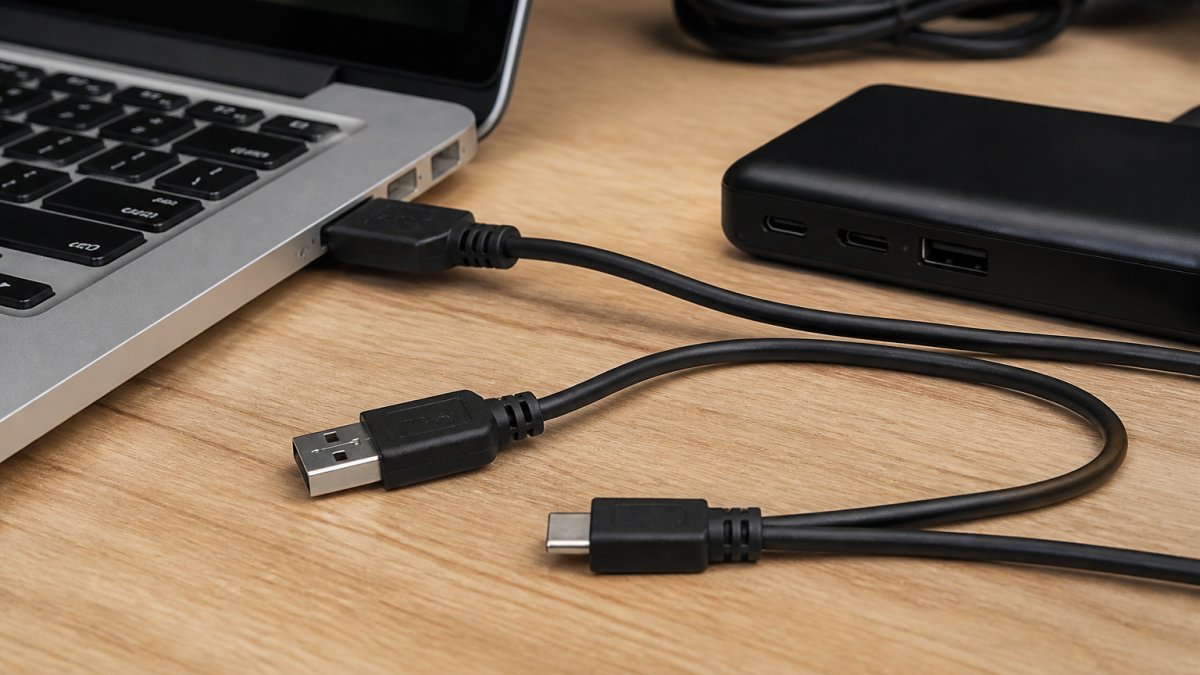
- Ports and connectors. Match the physical connector type. A Mini HDMI port is not a Micro HDMI port, and neither is USB-C. Our Mini HDMI to HDMI cable listing is a good example: it fits cameras, camcorders, laptops, and Raspberry Pi Zero boards with a Mini HDMI port, and the listing states plainly that it does not fit Micro USB, Micro HDMI, USB-C, or Mini DisplayPort.
- Power. Check voltage and current. A certified cable, such as our Apple MFi certified Lightning cable, carries the right chip for safe charging at the correct current.
- System requirements. For software and accessories, confirm the operating system version, processor, RAM, and storage the product needs.
One insider tip: read the "not compatible with" line in a listing before the "compatible with" line. Sellers list exclusions precisely because buyers get them wrong.

Reading a Chemical Compatibility Chart for Household Products
A chemical compatibility chart is a table that shows which materials can safely hold or contact which substances. Find your substance in one column and your container or surface material in another, then check the rating at the crossing point.
The harder part, the part that actually prevents damage or unsafe use, is knowing which material you are checking, at what concentration, and whether the chart applies to your situation at all.
Start with the material, not the brand
For household products, the material matters more than the brand. A cleaner that is fine in a glass bottle may degrade a certain plastic sprayer. Pump and seal materials vary too, so check the whole assembly.
Iphone Charger Lightning Cable - 3.3Ft [Apple Mfi Certified] Fast Charging →
Common materials you will see in charts include:
- High-density polyethylene (HDPE) and polypropylene (PP), common in spray bottles and jugs
- Polyethylene terephthalate (PET), common in beverage and some cleaning bottles
- Glass, generally the most inert common container material
A chart may rate a substance compatible with one plastic and incompatible with another. That reflects real differences in chemical resistance.
Read the rating scale correctly
Ratings usually follow a simple scale:
- Good or excellent: safe for normal use
- Fair or limited: short-term or conditional use; check temperature and duration
- Poor or not recommended: avoid contact
Some charts add a fourth category for "unknown" or leave the cell blank. Treat a blank cell as unknown, not as safe.
Match the exact concentration and conditions
Two rules make chart readings reliable. Match the exact concentration: a full-strength acid entry may not apply to a diluted cleaner. And check the temperature and duration assumptions, a material rated "good" for short room-temperature contact may be "poor" for prolonged or elevated-temperature contact.
Cross-check against the safety data sheet
Once a chart gives a rating, confirm it against the product's safety data sheet (SDS), which lists recommended container materials, incompatible substances, and handling conditions for that specific product.
- Find the SDS on the manufacturer's website, usually under a "Safety" or "Documents" section.
- Check Section 7 (Handling and Storage) for container and material guidance.
- Check Section 10 (Stability and Reactivity) for incompatible materials.
- Compare the SDS recommendation to the chart rating. If they disagree, follow the SDS, because it is specific to that product.
If the chart and SDS both leave your combination unaddressed, do not guess, contact the manufacturer or use a material the documentation explicitly approves.
A practical reading order
When you open a chemical compatibility chart, read it in this order:
- Identify the exact substance and its concentration.
- Identify every material the substance will contact, including seals and pumps.
- Find the rating at each crossing point.
- Check temperature and duration assumptions.
- Cross-check against the product's SDS.
- Treat any blank or unknown cell as a stop sign, not a green light.
That sequence turns a chart from a rough guide into a verified answer.
Replacement Part Compatibility: Matching the Number, Not the Look
Replacement parts fail on looks more than anything else.
Take laptop cases. Our MacBook Air 13-inch hard shell case fits only the 2020, 2019, and 2018 MacBook Air with Retina display, model numbers A2337, A2179, and A1932.

The same logic applies to tablet cases. Our iPad 10.2-inch multi-angle case lists the exact model numbers it fits across three generations.
A quick verification habit: find the model number on your device, then search the seller's listing for that exact string. If it appears, you are likely fine.
Verifying Results and Spotting False Positives, Missing Listings and Stale Data
Checker results are a starting point, not a final answer. Three failure modes account for most bad matches.
False positives. A tool reports "compatible" because it matched a partial model string.
Missing listings. Newer products often have no database record yet.
Stale data. Compatibility lists age. A seller may have changed a connector or a spec without updating third-party databases.
Use this quick verification checklist:
- Full model number matches, character for character
- Port, power, or material specs confirmed on the manufacturer's page
- The "not compatible with" list has been read
If two sources disagree, the manufacturer wins. Every time.
Check Before You Buy on Pemarch
Compatibility checking rewards patience and exact numbers, not guesswork. Find the model number, run it through a proper checker, confirm the specs against the manufacturer, and read the exclusions.
At Pemarch, we build our listings around that same discipline. Every product page states the exact models and specs it fits, so you can match your number before you order.
Ready to match with confidence? Shop now and check the specs before you buy.
Frequently Asked Questions
How can I check whether two products are compatible online?
Start with the exact model number or specification, not the product name. Search the manufacturer's own compatibility list or datasheet first, then run the same numbers through an online product compatibility checker as a second opinion. Compare the result against the technical specifications on the listing page, including ports, power ratings, materials and system requirements. If the checker and the manufacturer documentation disagree, trust the manufacturer and treat the checker result as unconfirmed.
Is there an app that checks product compatibility?
Several retailer and manufacturer apps include a barcode scanner that pulls up a product record and shows compatible accessories or replacement parts. These tools are only as good as the database behind them, so a scan is a starting point, not a verdict. Confirm the result by matching the model number against the manufacturer's published list. For chemical or material questions, an app is rarely enough; use the supplier's chemical compatibility chart instead.
How do I verify that a replacement part fits my product?
Find the model number on the rating plate or label of your existing device, then check the part listing for that exact number. Replacement part compatibility usually depends on the model code, revision and sometimes the year of manufacture, so a part that looks identical can still be wrong. Cross-check the part number against the manufacturer's parts diagram before ordering, and keep the packaging until you have fitted and tested it.
What should I do if an online compatibility checker gives unclear results?
Treat an unclear result as a no until you can confirm it. Check whether the product record is complete, whether the model number was entered correctly, and whether the listing has been updated recently. Then look for the manufacturer's own compatibility statement or contact the seller with your model number. Buying on an unclear result is how false positives happen, and returning an incompatible item costs more time than a five-minute check.